
Members and roles
Before you start
- Client administrator role.
The Accesos page
Open Administración > Accesos (Administration > Access).
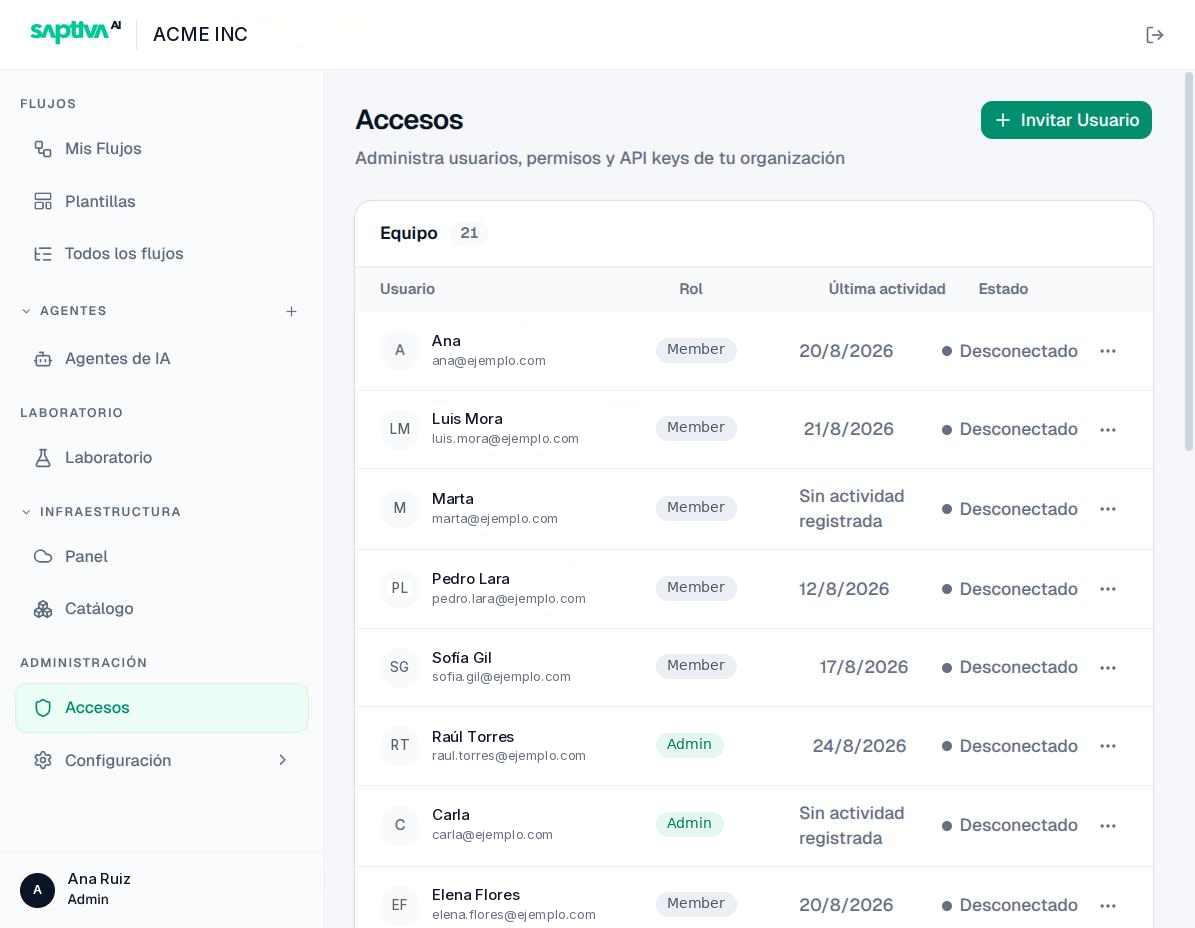
Columns: Usuario (User), with name and email; Rol (Role); Última actividad (Last activity), with the date of the last sign-in or "Sin actividad registrada" (No activity recorded); and Estado (Status). Buscar usuario (Search user) filters by name or email; the list is paginated.
| Status | Meaning |
|---|---|
| En línea (Online) | Has an active session right now. |
| Desconectado (Offline) | Has an account and has signed in at some point. |
| Invitación pendiente (Pending invitation), label Invitado (Invited) | Invited, has not signed in yet. |
| Suspendido (Suspended) label | Cannot sign in until Reactivar (Reactivate). |
Lifecycle of an account
Invite
-
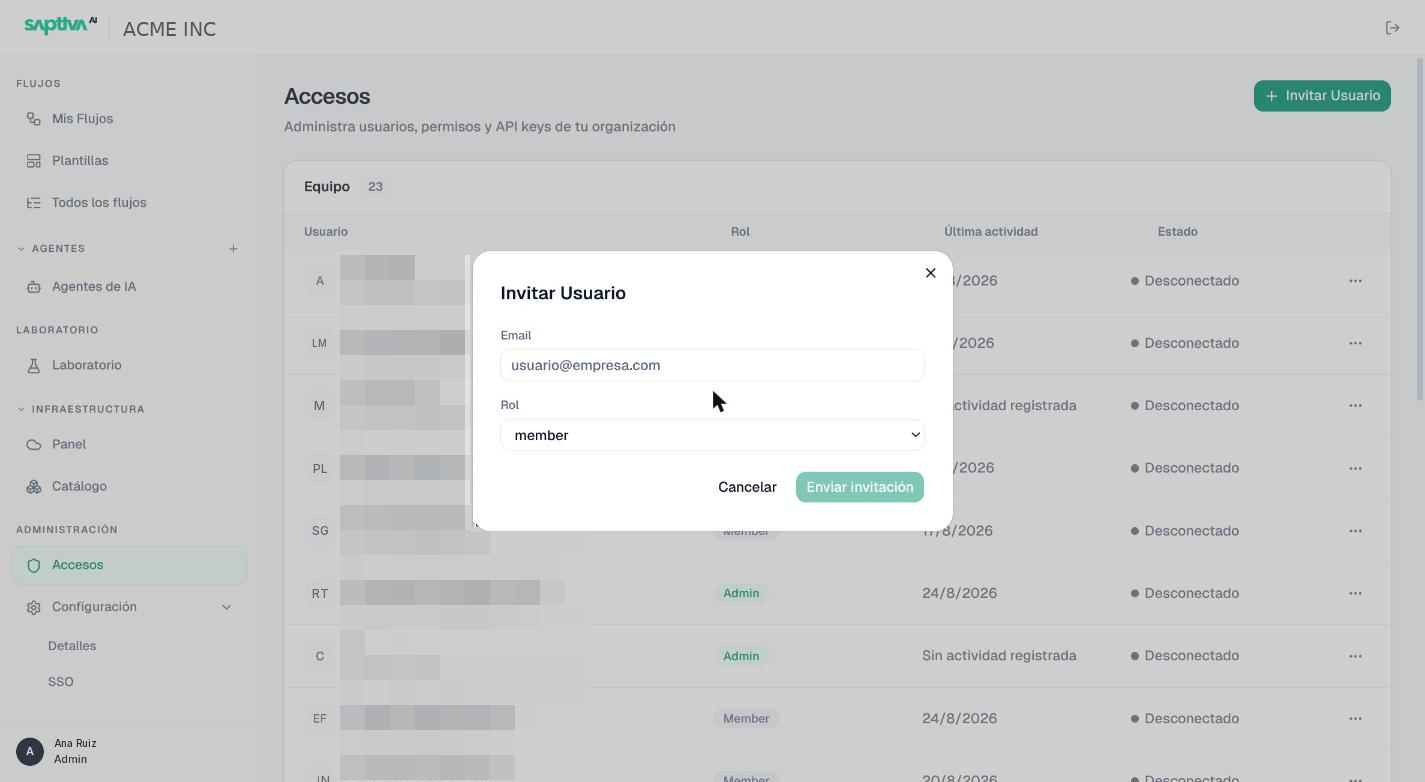
Click Invitar Usuario (Invite user).
-
Type the Email and choose the Rol: member (default) or admin. Studio writes the roles in lowercase and in English; they are the only two that the selector offers.
-
Click Enviar invitación (Send invitation). The person appears as Invitación pendiente until they sign in for the first time. From the row menu you can use Reenviar invitación (Resend invitation) or Cancelar invitación (Cancel invitation).
Change role, suspend, delete
From the ... menu of each row:
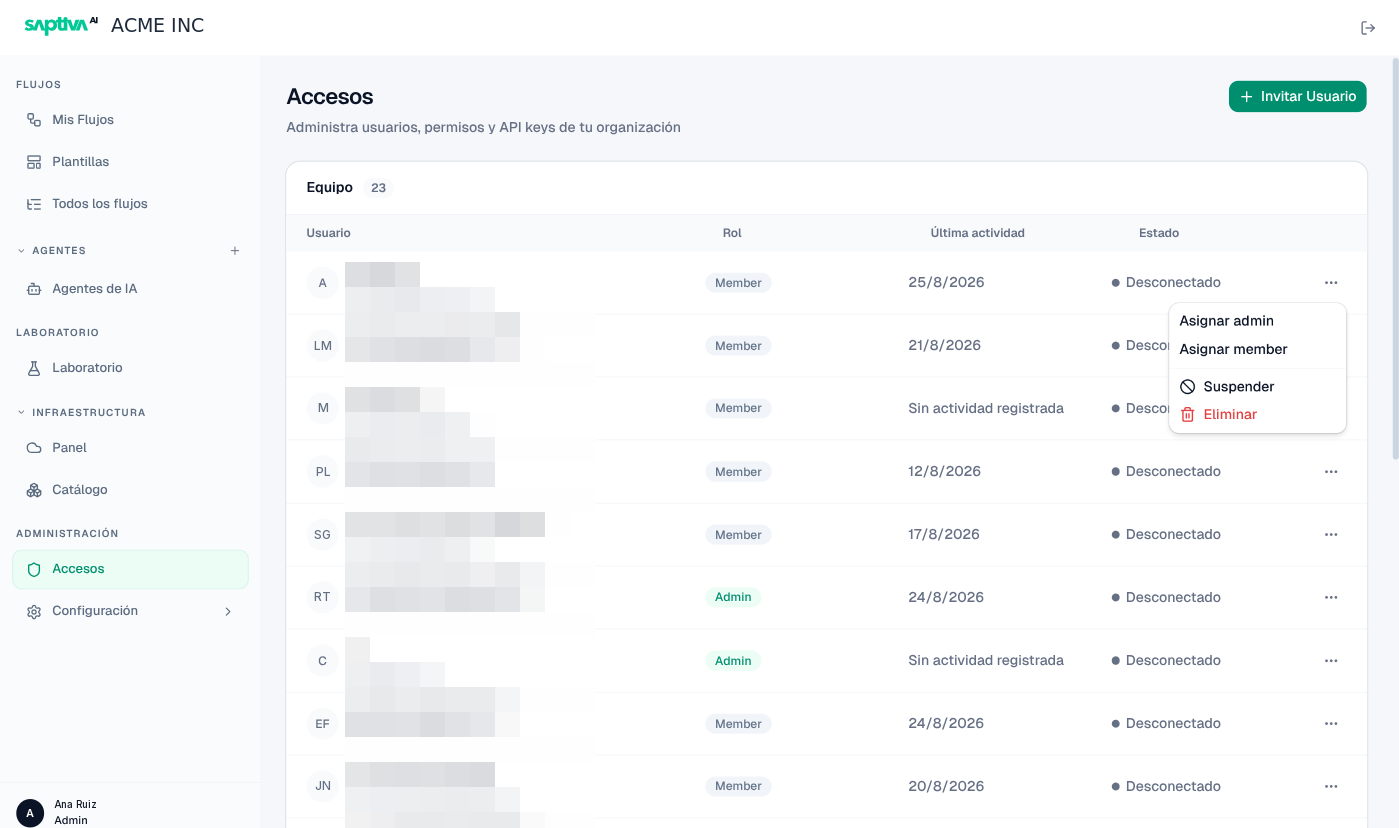
- Asignar admin (Assign admin) / Asignar member (Assign member): changes the role immediately.
- Suspender (Suspend): the person cannot sign in, but their agents and workflows are kept. Reactivar reverts it.
- Eliminar (Delete): removes the person from the Client.
Each action confirms with a notice: "Rol actualizado" (Role updated), "Usuario suspendido" (User suspended), "Usuario eliminado" (User deleted). Before you delete someone, reassign or share their labs and agents if others use them: labs they own cannot be shared or deleted by another person.
The roles that do not appear in this menu
The Rol column can show two values that do not appear in the selector:
- owner, for the person who created the Client. It behaves like
adminand is also the only one that can transfer or delete the Client. You cannot assign or remove it from here, and SSO does not touch it either. - viewer, read-only.
And there is a role you will never see in this list: Super Admin, which belongs to the platform and is held by Saptiva staff. It is not granted from Accesos. It is described in Roles.
With SSO
When the Client has SSO, accounts are created at the first sign-in with the identity provider, and the role can come from the attribute configured in Acceso de administrador (Administrator access) (SSO). The identity provider can only resolve to admin or member, and it never downgrades an owner. Even so, inviting is still useful to give access to someone outside the domain or to assign admin before their first sign-in.