
Test an agent
Open the agent and use the test chat in the center of the editor. Each response shows which documents it consulted and which tools it called, so you can check that the agent uses what you configured and not just its general knowledge.
Read a response
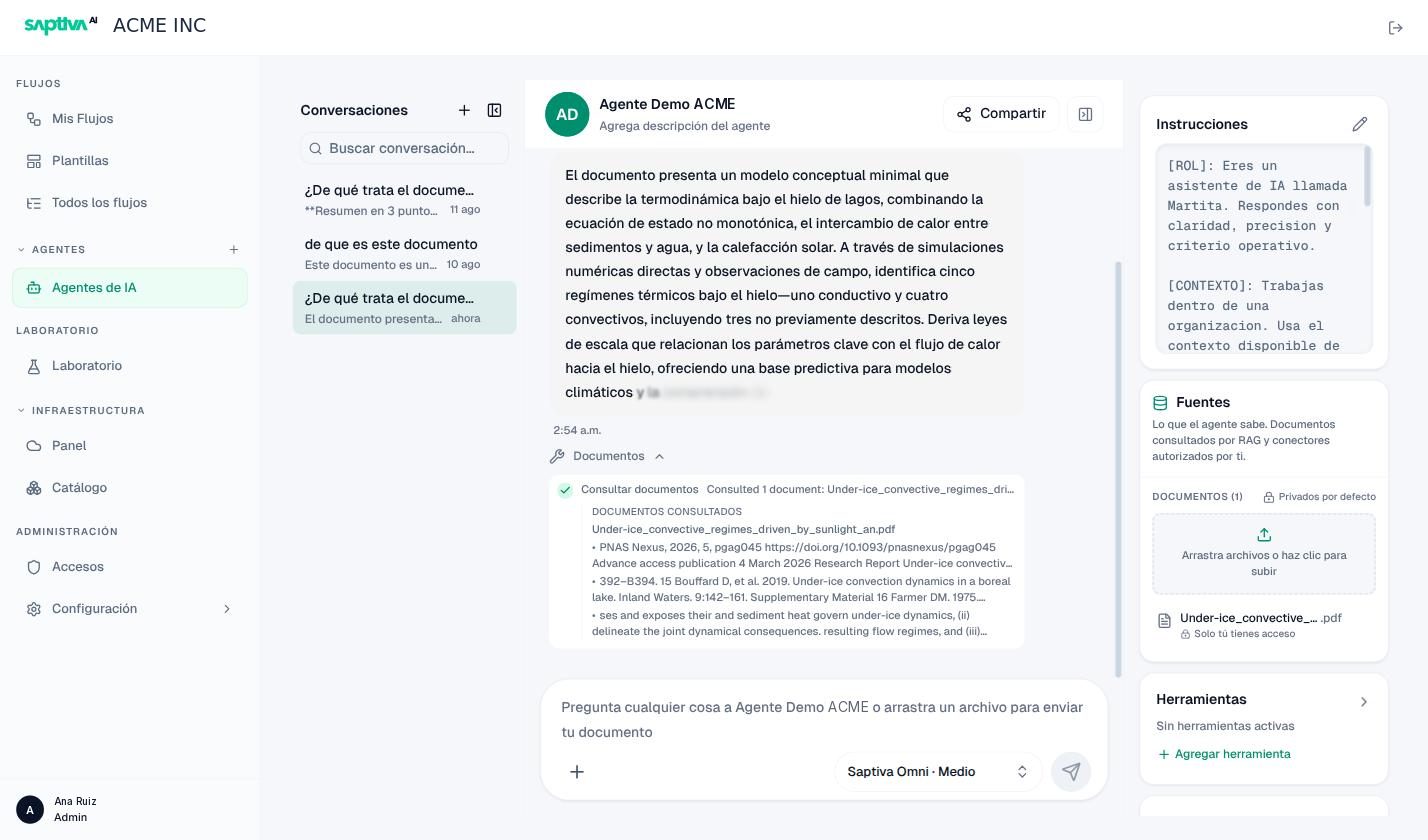
Below each response, you may see:
| Element | What it shows |
|---|---|
| Razonando… (Reasoning…) / Razonó durante N s (Reasoned for N s) | The model is thinking (or thought) before responding; only with Bajo (Low), Medio (Medium), or Alto (High) effort. |
| Documentos (Documents) | That it consulted Fuentes (Sources). When expanded: Consultar documentos (Consult documents), Consultó N documentos (Consulted N documents), and the exact passages under Documentos consultados (Consulted documents). |
| Búsqueda web (Web search) | That it used Web Search: Fuentes encontradas: N (Sources found: N) and the list under Fuentes consultadas (Consulted sources). |
| Herramienta usada (Tool used) | Any other tool, with its name: Buscar workflows (Search workflows), Leer workflow (Read workflow), Ejecutar workflow (Run workflow), Consultar documentos, Buscar en la web (Search the web). |
| Ver en registros (View in logs) | When the response ran a workflow: it jumps to the run in Registros (Logs). |
If a correct response doesn't show Documentos, the agent answered from memory. For an agent that must rely on its sources, that's a failure even if the text is good: reinforce the instruction "only with information from the sources".
Model and reasoning
The Configurar modelo y esfuerzo (Configure model and effort) button, next to the message box, shows the active model and effort (for example, Saptiva Omni · Medio). Changing it there changes the agent's configuration, not just the conversation.
Conversations
The left panel lists your conversations with that agent, with a search box; + opens a new one. Conversations are yours: anyone who receives the shared agent doesn't see them. Each message has Copiar mensaje (Copy message).
You can attach files with + or by dragging them onto the box ("arrastra un archivo para enviar tu documento", drag a file to send your document). It's a one-off input for that conversation, not a source: if you want the agent to always consult it, upload it to Fuentes. Studio warns you if an attachment exceeds the size limit.
The Prompts button offers message templates, for example Probar este flujo (Test this workflow) when the agent has a workflow as a tool: it prepares a run and asks for the result, the steps, and the errors.
Test inside a workflow
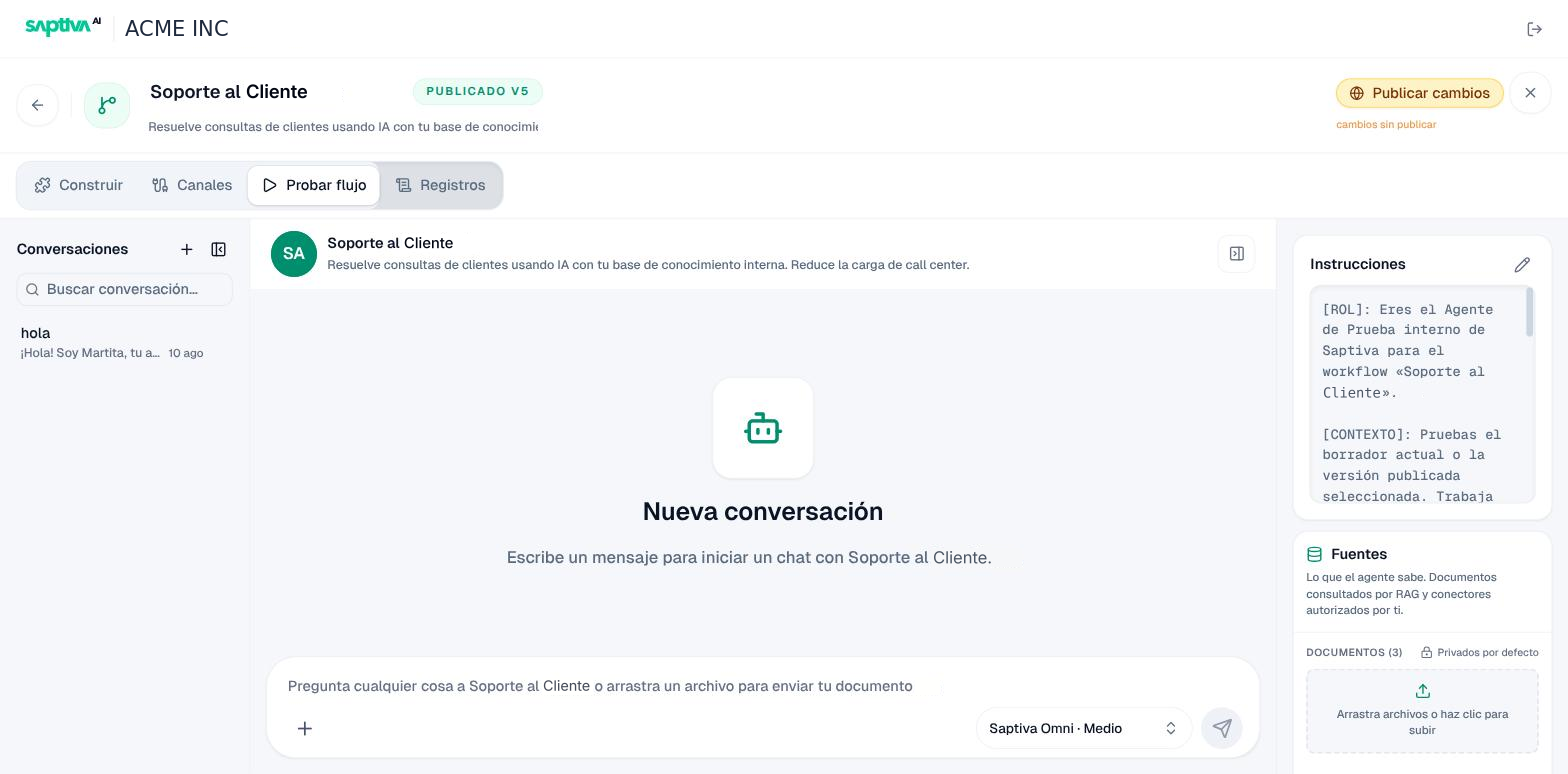
When an agent is part of a workflow, the editor's Probar flujo (Test workflow) tab opens the same chat against the whole workflow, with an internal test agent that works on the draft or the published version. Those runs appear in Registros with the source Prueba interna (Internal test).
Chat messages and what to do
| Message | What it means | What to do |
|---|---|---|
| "Espera a que el agente termine de responder." (Wait for the agent to finish responding.) | You sent another message while it was responding. | Wait; responses are sequential. |
| "Esto está tomando más de lo esperado…" (This is taking longer than expected…) | The model or a tool is taking a while. | Wait; if it reaches "El agente tardó demasiado en responder" (The agent took too long to respond), use Reintentar (Retry). |
| "La respuesta quedó cortada. Aumenta la Longitud de respuesta." (The response was cut off. Increase the response Length.) | The Longitud máxima de respuesta (Maximum response length) was reached. | Raise the preset to Media (Medium) or Larga (Long). |
| "El modelo bloqueó la respuesta por el filtro de contenido." (The model blocked the response because of the content filter.) | The model provider rejected the request. | Rephrase it or change models. |
| "El modelo seleccionado no admite razonamiento; se usa Instantáneo." (The selected model doesn't support reasoning; Instant is used.) | The model doesn't reason. | Choose another model or accept Instantáneo. |
| "La búsqueda web falló." (The web search failed.) / "No se encontraron fuentes." (No sources were found.) | Web Search returned no results or has no internet access. | Check with your administrator whether the installation has outbound internet access. |
| "El agente no pudo responder." (The agent could not respond.) | Model or tool error. | Reintentar; if it persists, check the credentials and model (States). |