
Triggers and channels
The Canales (Channels) tab, also Configuración del flujo > Conexiones (Workflow settings > Connections), defines where information enters and leaves. Each connection shows Sin uso (Unused), Pendiente (Pending), or Configurado (Configured); a workflow with a Pendiente connection cannot be published.
Webhook (Conecta con tus apps)
Connect external systems through a URL: it receives requests and returns results.
- Drag Conecta con tus apps (Connect your apps) from the Componentes (Components) panel, or turn it on in Canales. Save the workflow to reserve the URL del webhook (Webhook URL); it is public and stays fixed as long as the workflow exists.
- In Configuración webhook (Webhook settings), define the Path (the final segment of the URL), the Método (Method, usually POST), and the Header de autenticación (Authentication header) with its token.
- Turn on Requerir header Authorization (Require Authorization header) so that only your systems can trigger it.
- In Avanzado (Advanced), Modo asíncrono (Asynchronous mode) makes the webhook respond
202immediately and process in the background. Use it when the calling system cannot wait for the full response (processes longer than a few seconds); you check the result in Registros (Logs), or another output channel delivers it.
Each call creates a run with source Webhook. The HTTP response includes the output of the Agents output node and the run identifier. You can find an example call in Tutorial: your first workflow.
WhatsApp (Conecta con WhatsApp)
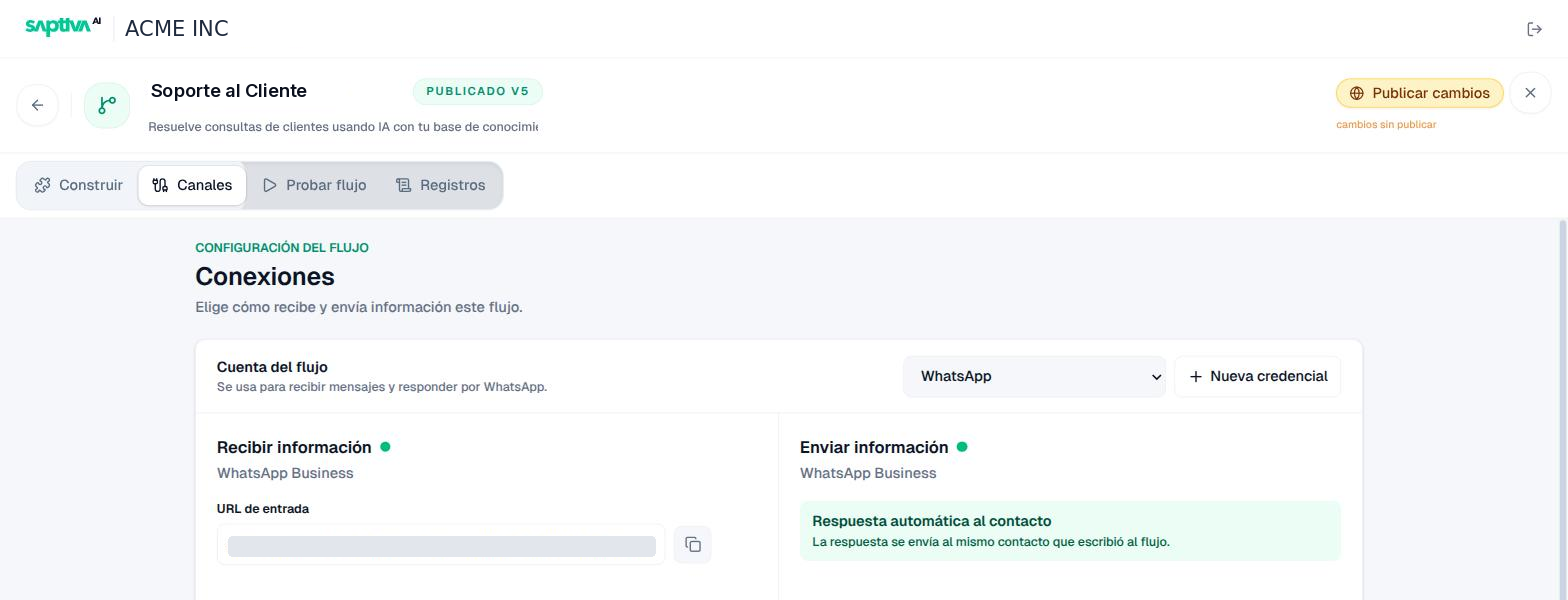
It requires a WhatsApp Business credential assigned as the Cuenta del flujo (Workflow account); if there is none, you see Sin credencial (No credential) and the Nueva credencial (New credential) button. The same account is used to Recibir información (Receive information: the messages that arrive at the number) and to Enviar información (Send information: the replies).
Turn on Respuesta automática al contacto (Automatic reply to the contact) so that the workflow result is sent back to the person who wrote. Without that option, the workflow processes the message but does not reply on WhatsApp.
Internal input and output (Conecta con tus Agents)
They let an agent run the workflow as a tool and receive its result, without configuring connections. They expose nothing outside Studio. See Workflows as a tool.
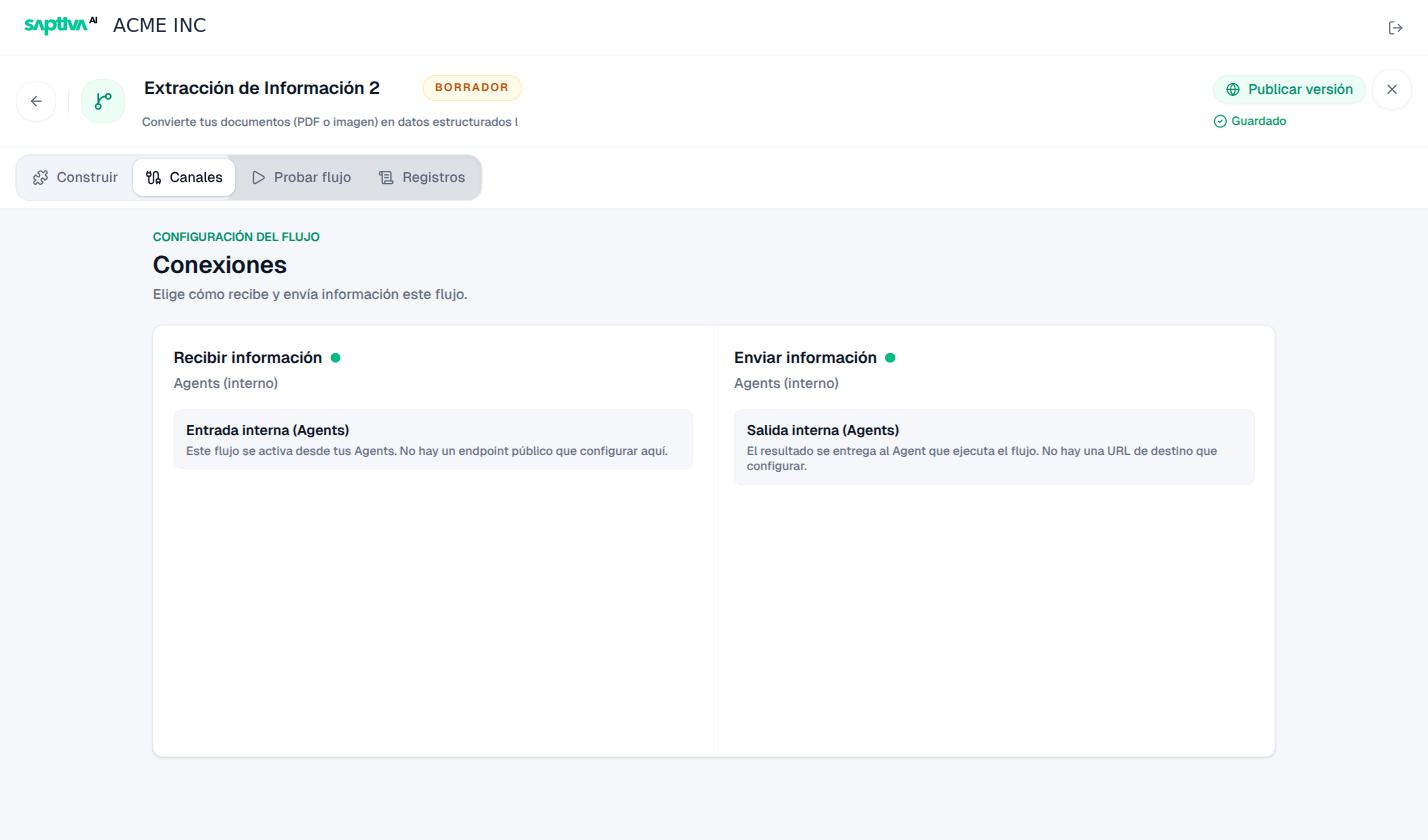
In Canales, a workflow like this shows Entrada interna (Agents) (Internal input), with "Este flujo se activa desde tus Agents. No hay un endpoint público que configurar aquí" (This workflow is triggered from your Agents. There is no public endpoint to configure here), and Salida interna (Agents) (Internal output), with "El resultado se entrega al Agent que ejecuta el flujo" (The result is delivered to the Agent that runs the workflow). This is the case for the extraction templates: the document arrives as an attachment from the agent that invokes them.
Which source you see in each case
| How it was triggered | Source in Registros |
|---|---|
| HTTP call to the input URL | Webhook |
| Message to the WhatsApp account | |
| An agent used it as a tool | Agents |
| Probar flujo (Test workflow) tab | Prueba interna (Internal test) |