
Share a workflow
Sharing a workflow hands over the same workflow, not a copy. You decide, person by person, whether they only see and run it or also edit it. The credentials it uses stay yours: nobody sees or changes them by receiving access.
It differs from sharing an agent, where there is a single permission, Puede ejecutar (Can run). Here there are two levels, and the second one opens the editor to someone else.
The two permissions
| Permission | What the person can do | What they see |
|---|---|---|
| Ver y ejecutar (View and run) | Open the workflow and run it. | Only their own conversations. |
| Editar (Edit) | All of the above, plus change the draft in the editor. Publishing stays yours alone. | Every log and conversation of the workflow, from anyone. |
That is the difference that matters when choosing: Editar does not only allow touching the nodes, it also shows what the workflow has done with everyone else. Give it to whoever builds with you, not to whoever only uses it.
Steps
-
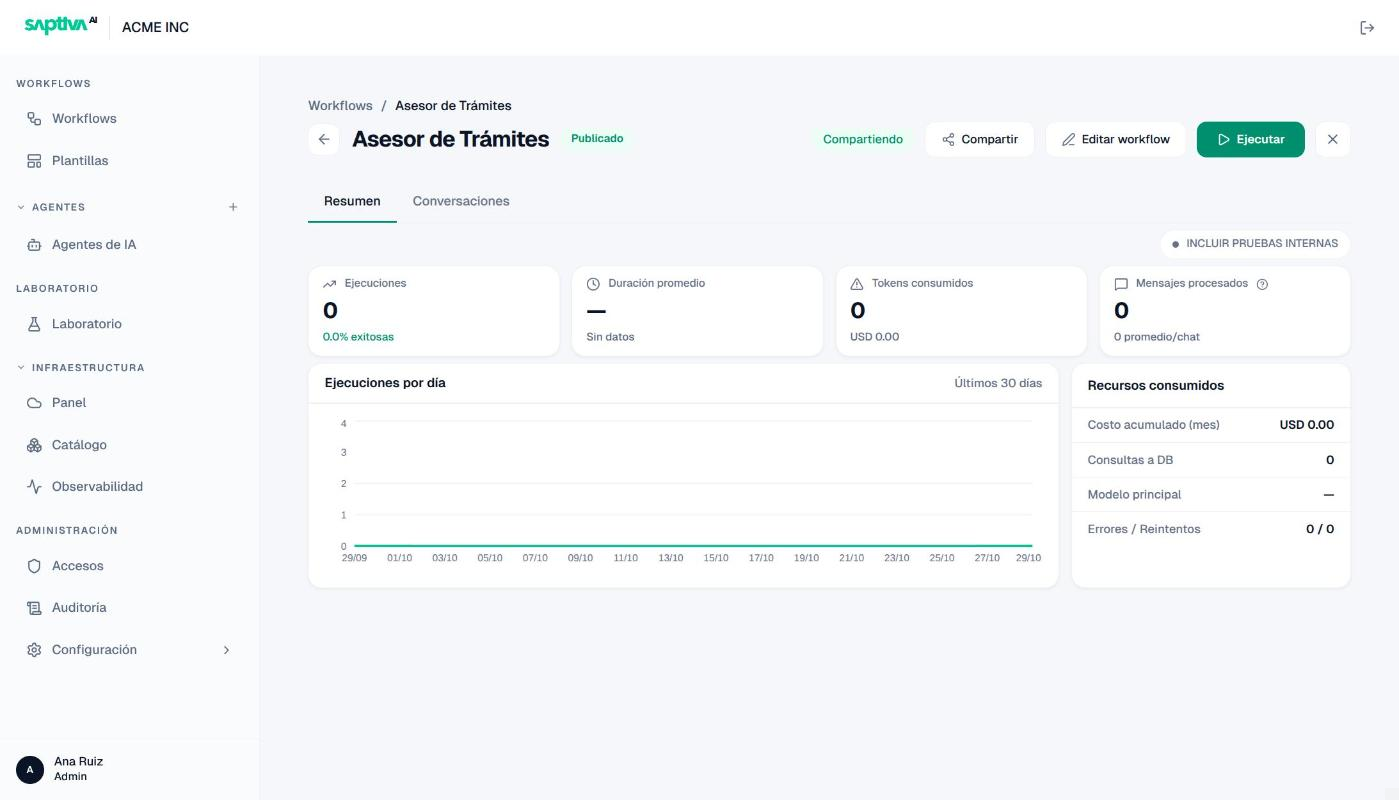
Open the workflow from the Listado de Workflows (Workflow list) and click Compartir (Share) in the header, next to Editar workflow (Edit workflow) and Ejecutar (Run).
-
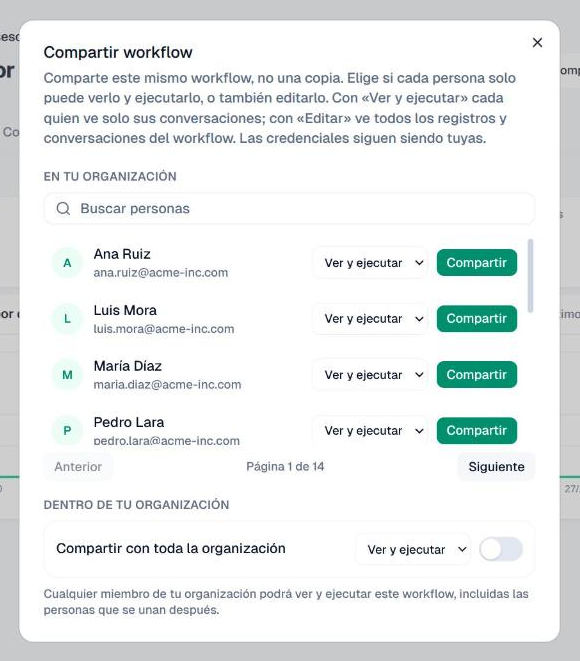
In the Compartir workflow (Share workflow) dialog, find the person under EN TU ORGANIZACIÓN (In your organization). The list is paginated (Anterior, Siguiente: Previous, Next); with many members, type in Buscar personas (Search people).
-
In their row, pick the permission in the dropdown (Ver y ejecutar or Editar) and click Compartir.
-
To open it to the whole Client, go down to DENTRO DE TU ORGANIZACIÓN (Within your organization), pick the permission and turn on Compartir con toda la organización (Share with the whole organization). Studio warns: "Cualquier miembro de tu organización podrá ver y ejecutar este workflow, incluidas las personas que se unan después" (Any member of your organization will be able to view and run this workflow, including people who join later). In other words, it also reaches whoever enters the Client later on.
Result
The workflow header shows Compartiendo (Sharing), next to the status.
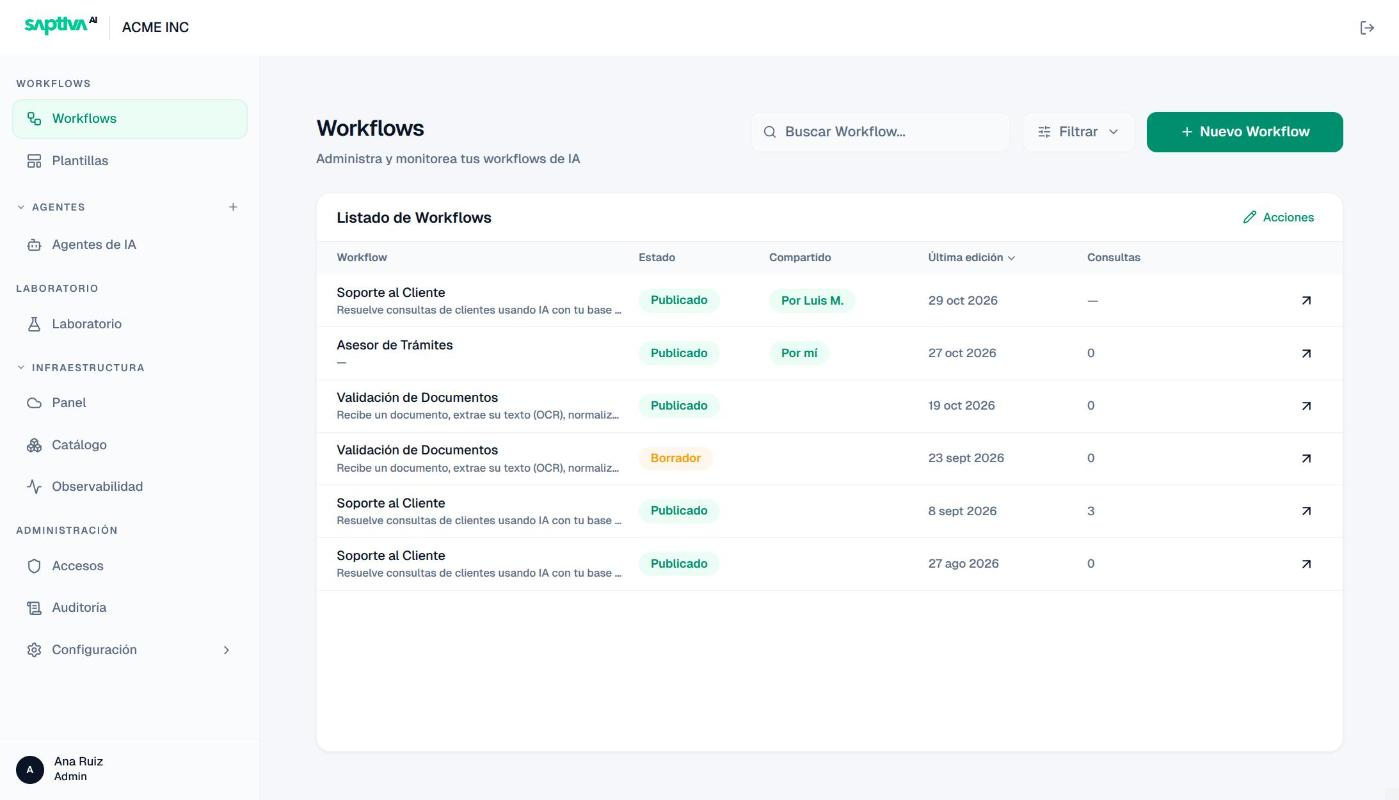
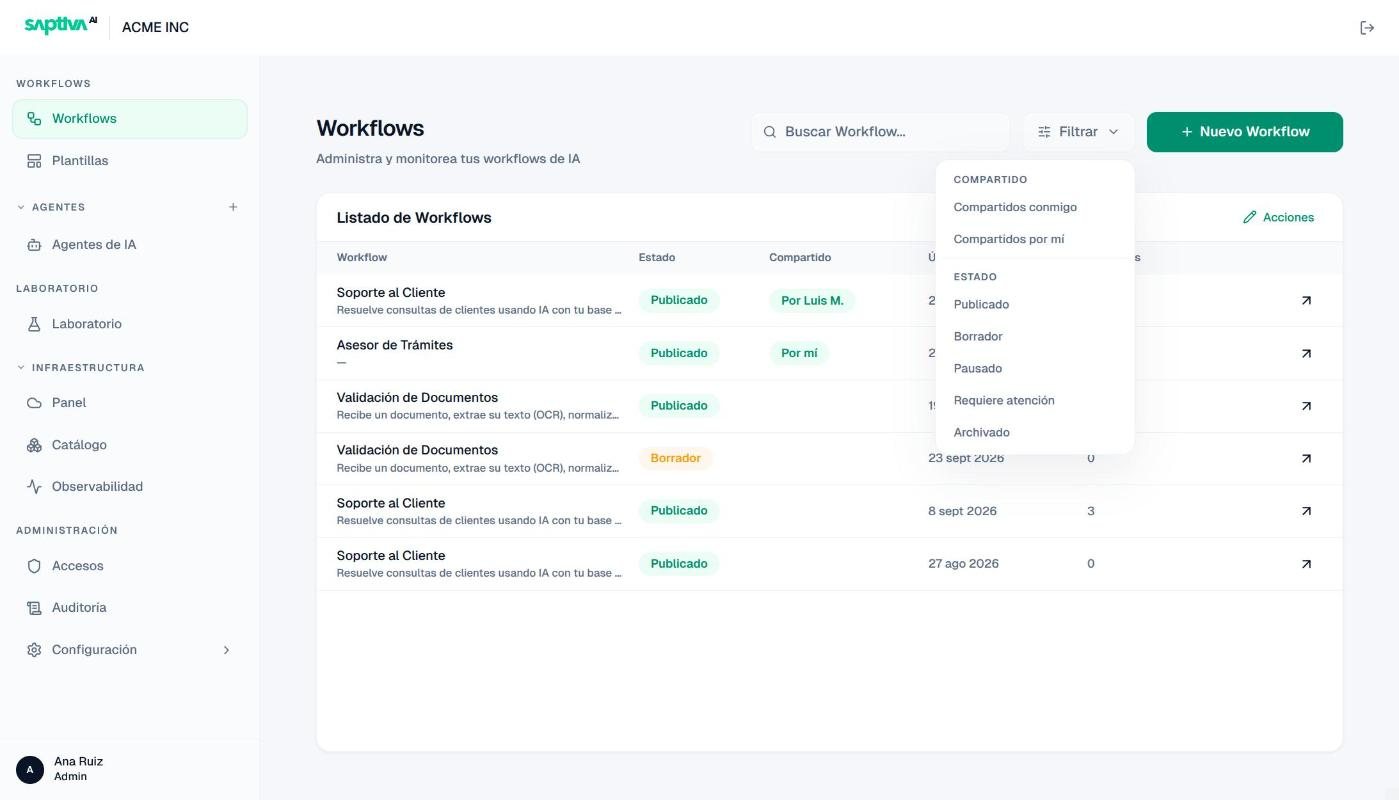
In the Listado de Workflows, the Compartido (Shared) column reads Por mí (By me) on yours and Por (By) plus the name of whoever shared it on the ones you receive. The Filtrar (Filter) menu separates the two cases: Compartidos conmigo (Shared with me) and Compartidos por mí (Shared by me).
Worth knowing beforehand
- Credentials do not travel. The workflow keeps running with your credentials even when someone else runs or edits it. If you lose access to a credential, the workflow fails for everyone (The workflow asks for a credential).
- Only you publish. Whoever has Editar changes the draft, but their changes do not reach real runs until you publish a version (Publish a workflow).
- Editar gives access to other people's conversations. Whoever edits sees every log, not only their own. If that is not acceptable, share with Ver y ejecutar.
- Sharing with the whole organization includes future members. There is no need to share again when someone new joins.